
What does whole-home backup mean? Can I use my air conditioner during an outage?
Yes.
If your A/C unit(s) LRA is less than 160, your battery will back up your whole home automatically.
If your LRA is greater than 160, you may need to temporarily turn off or reduce your A/C consumption during an outage in order for your battery to turn on. After the battery turns on and runs for 5 minutes, you may then turn on your A/C. Troubleshooting steps for this scenario are below.
What is LRA?
Locked Rotor Amps. It is the highest electrical current the unit draws when it starts up, before the rotor starts spinning.
How do I find my LRA?
Go out to your A/C unit(s) and look for any labels that show the LRA. If you can’t find labels to your A/C unit, contact your preferred third party HVAC company for assistance.
If you have multiple A/C units, add their LRAs together and use the sum. If their total is greater than 160, you need to reduce consumption in order for the battery to turn on. If over 160, continue reading below for a troubleshooting guide.
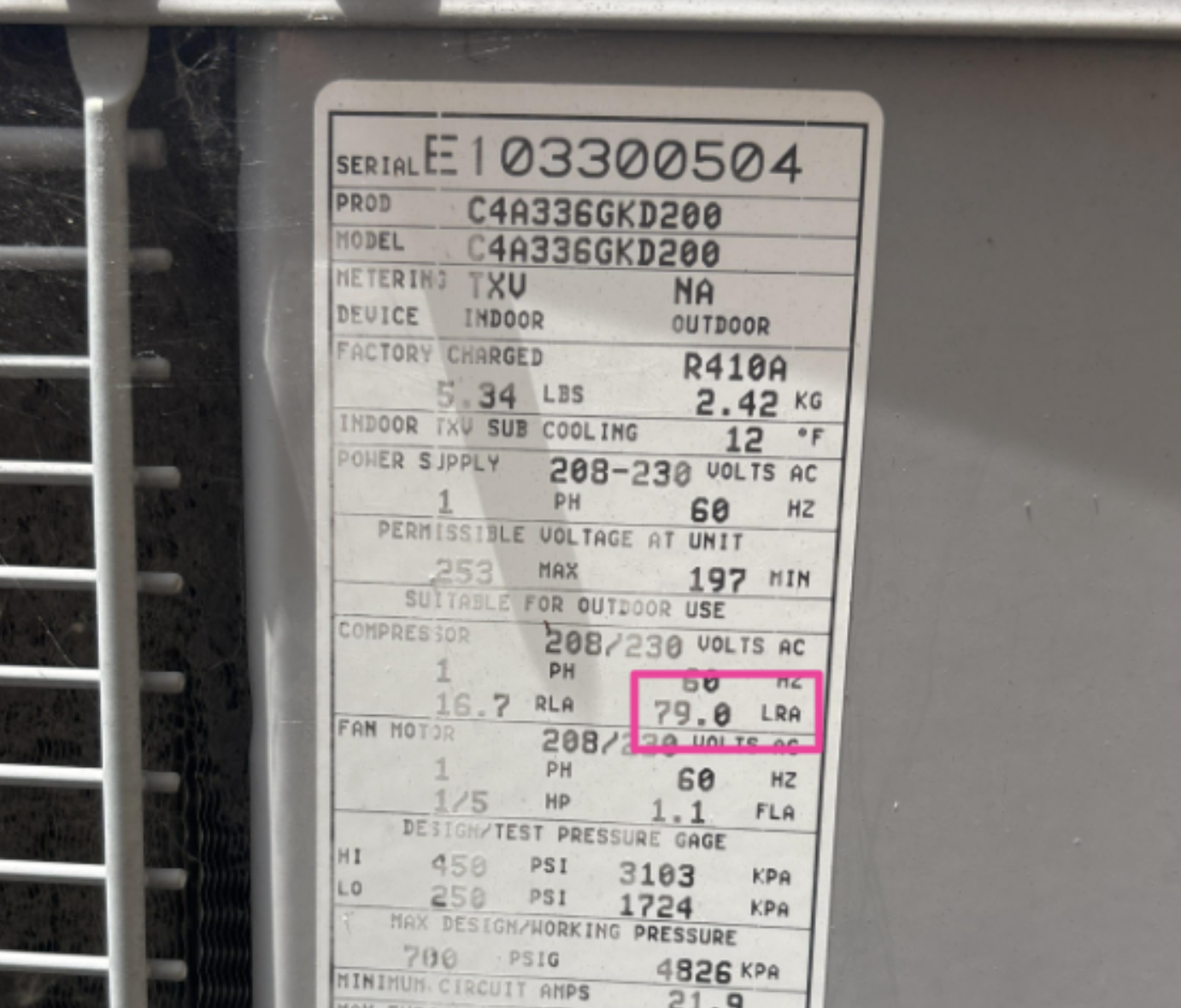
If your LRA is less than 160 (like in the example photo above), your A/C and battery will function as usual.
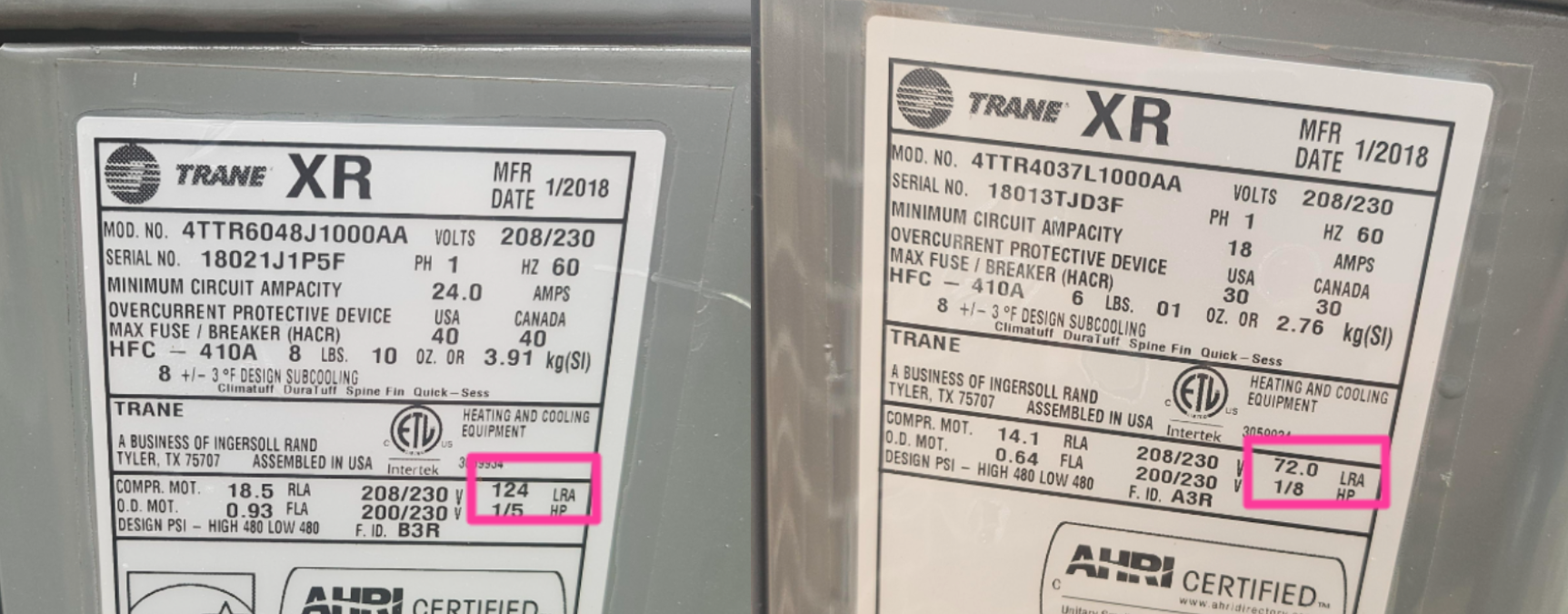
If your total LRA is over 160 (like the two example photos above), you need to reduce consumption in order for the battery to turn on. This includes if you have multiple A/C units with total LRA greater than 160.
If my LRA is over 160, what can I do to keep my A/C running?
You can work with your preferred 3rd party HVAC company to have a soft start device installed. These devices prevent the A/C unit from kicking on too quickly, allowing for the battery and A/C unit to operate together. Prices vary between providers, so we recommend getting multiple quotes before paying.
If you do not have a soft start device installed and your LRA is over 160, your battery may not turn on immediately during an outage. In this scenario, the battery will try to restart three times before stopping, at which point you can restart the battery through the Base Power mobile app by following the steps below:
Step 1: Turn off your A/C unit.
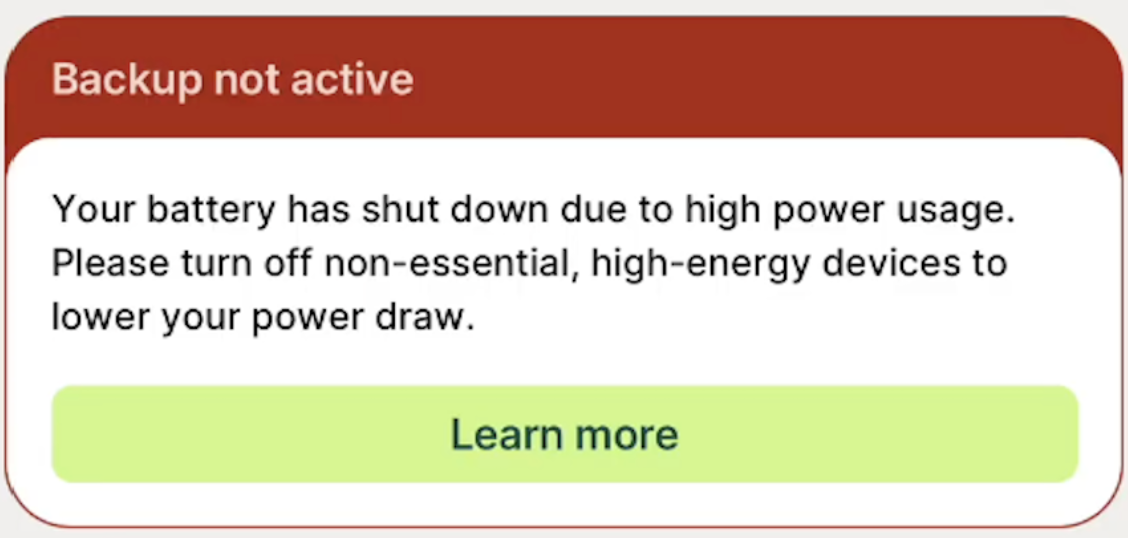
Step 2: In the Base Power mobile app, click the “Learn more” button in green
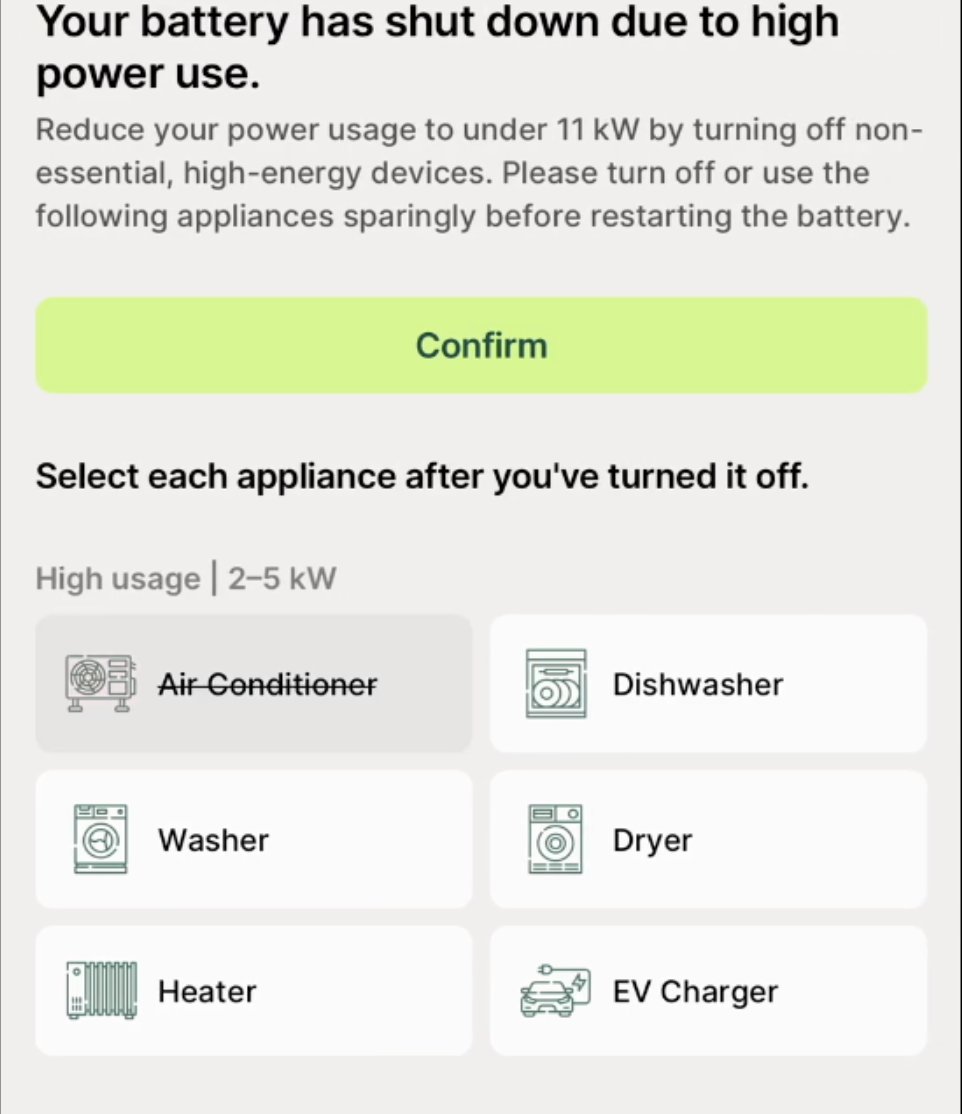
Step 3: Select each appliance you have turned off, and then click the “confirm” button in green.
Doing this will restart your battery system.
Final step: Wait 5 minutes, and then you can turn back on your A/C.
Important Note: A/C will be the largest drain to your backup duration. The more you can reduce your A/C usage, the longer your battery will be able to back you up.